Custom CRM · Sales Operations · Customer Lifecycle
Build a CRM around the way your sales operation actually works.
ENIGMA engineers custom CRM systems that connect lead capture, qualification, assignment, follow-ups, quotations, approvals, field activity, customer communication and management reporting in one controlled operating workflow.
filter_alt
Pipeline Control
Every lead, owner, stage, activity and next action remains visible.
notifications_active
Follow-up Discipline
Reminders, escalation rules and accountability reduce silent opportunities.
Management Visibility
Live dashboards expose pipeline movement, delays and team activity.
✓
A custom CRM is not only a digital contact register. It is the workflow layer that defines ownership, stages, follow-ups, approvals, customer history and the information leadership uses to manage revenue operations.
Sales Pipeline
Opportunity board
WEB₹
Commercial enquiryWebsite · Kanpur
OwnerSales Desk
WA↗
Product requirementWhatsApp · Noida
NextQualify
REF!
Enterprise opportunityReferral · Delhi NCR
NextSite visit
CALL✓
Service enquiryInbound call
OwnerField Team
QT₹
Commercial proposalVersion 03 · Approval
StatusManager review
QT→
NegotiationDiscount exception
NextApproval
Next actionEvery lead has an owner, stage and due action.
Selected CRM Work
Real operating systems built around different business models.
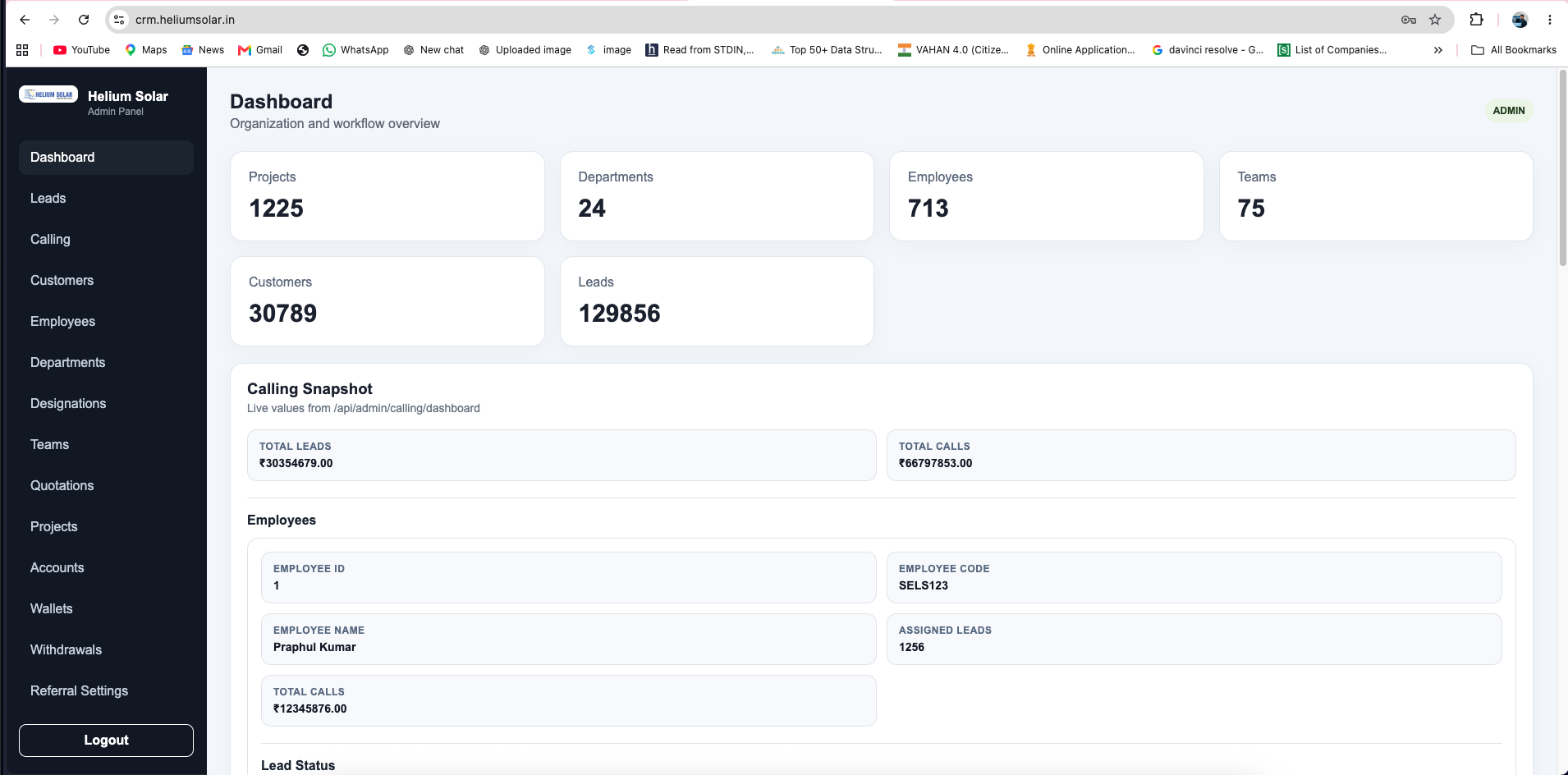
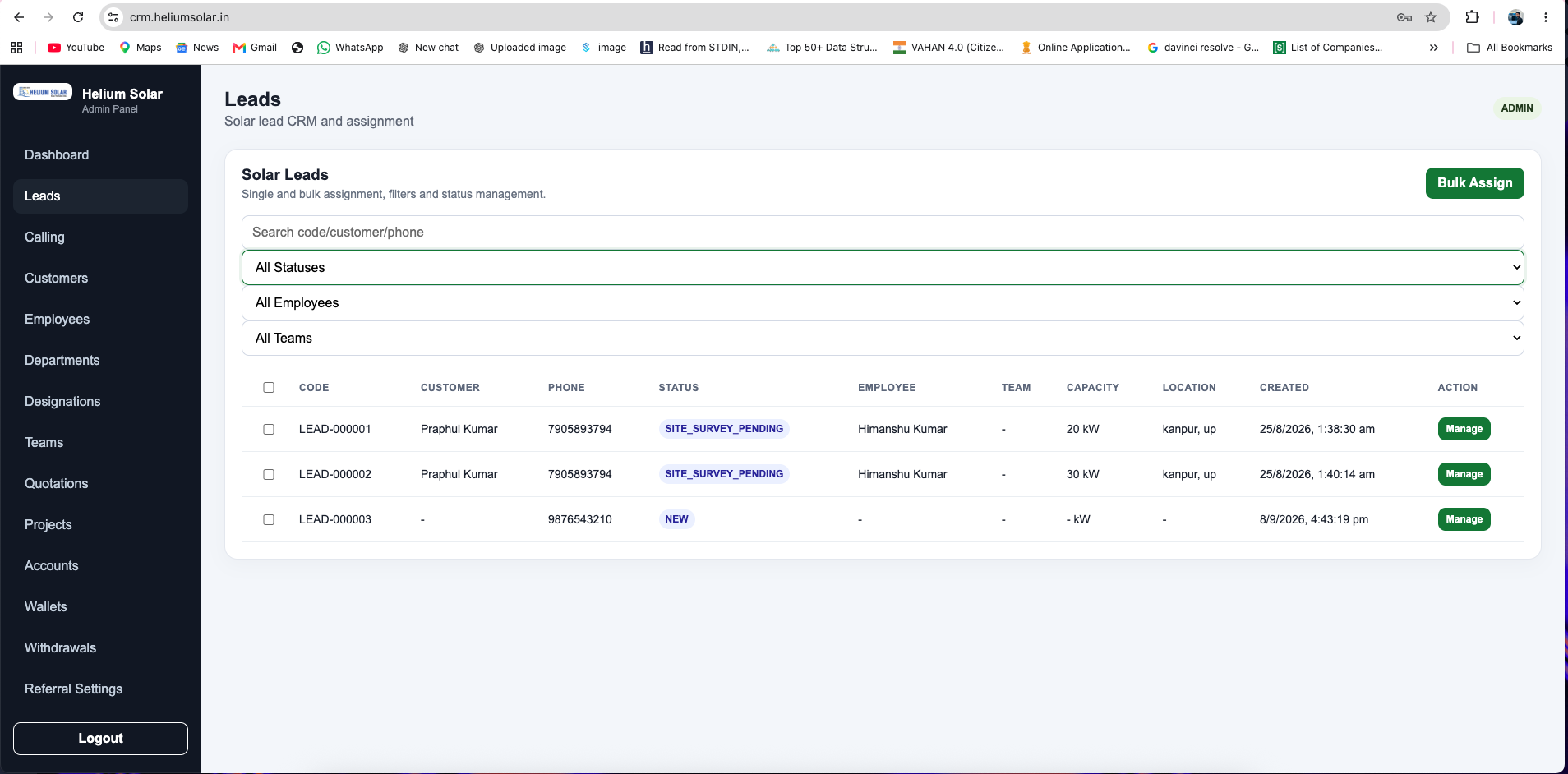
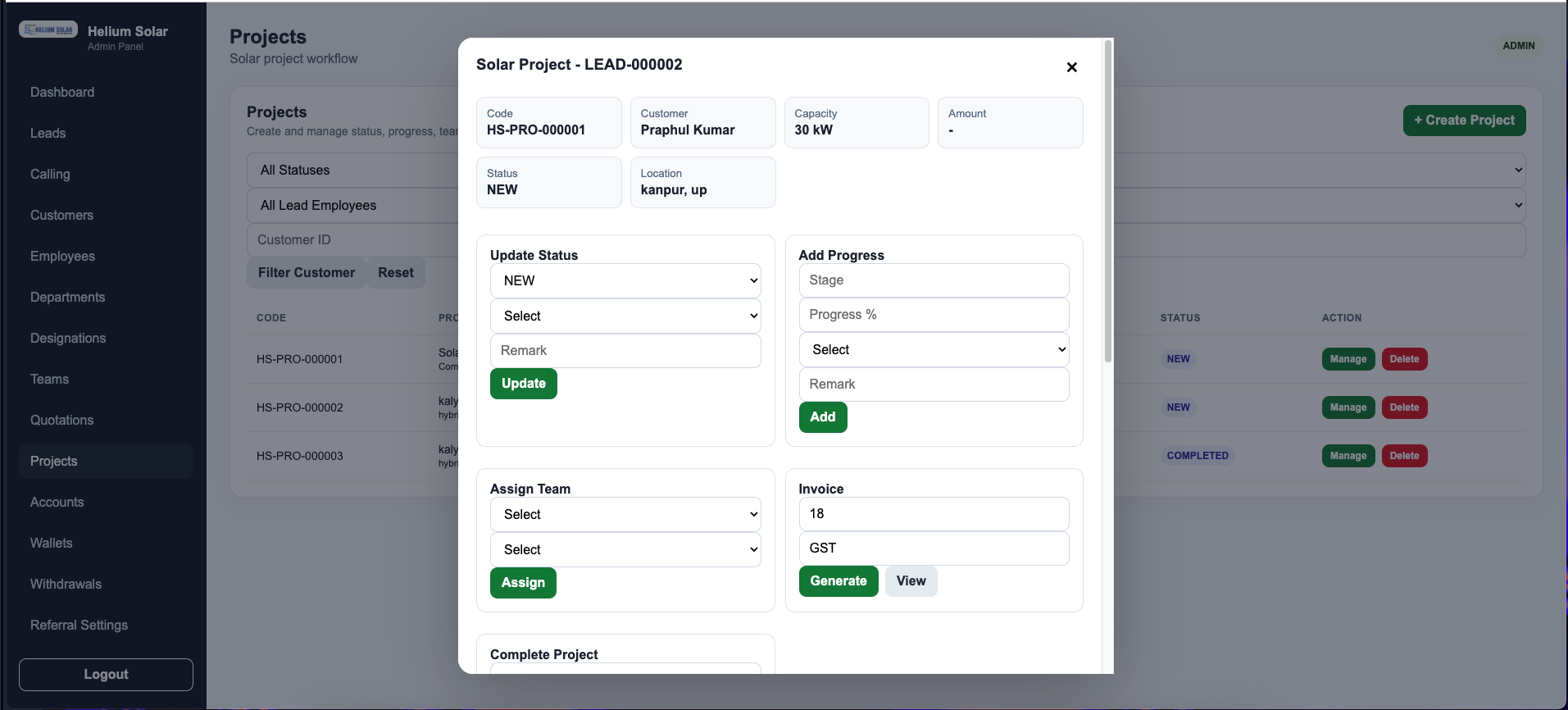
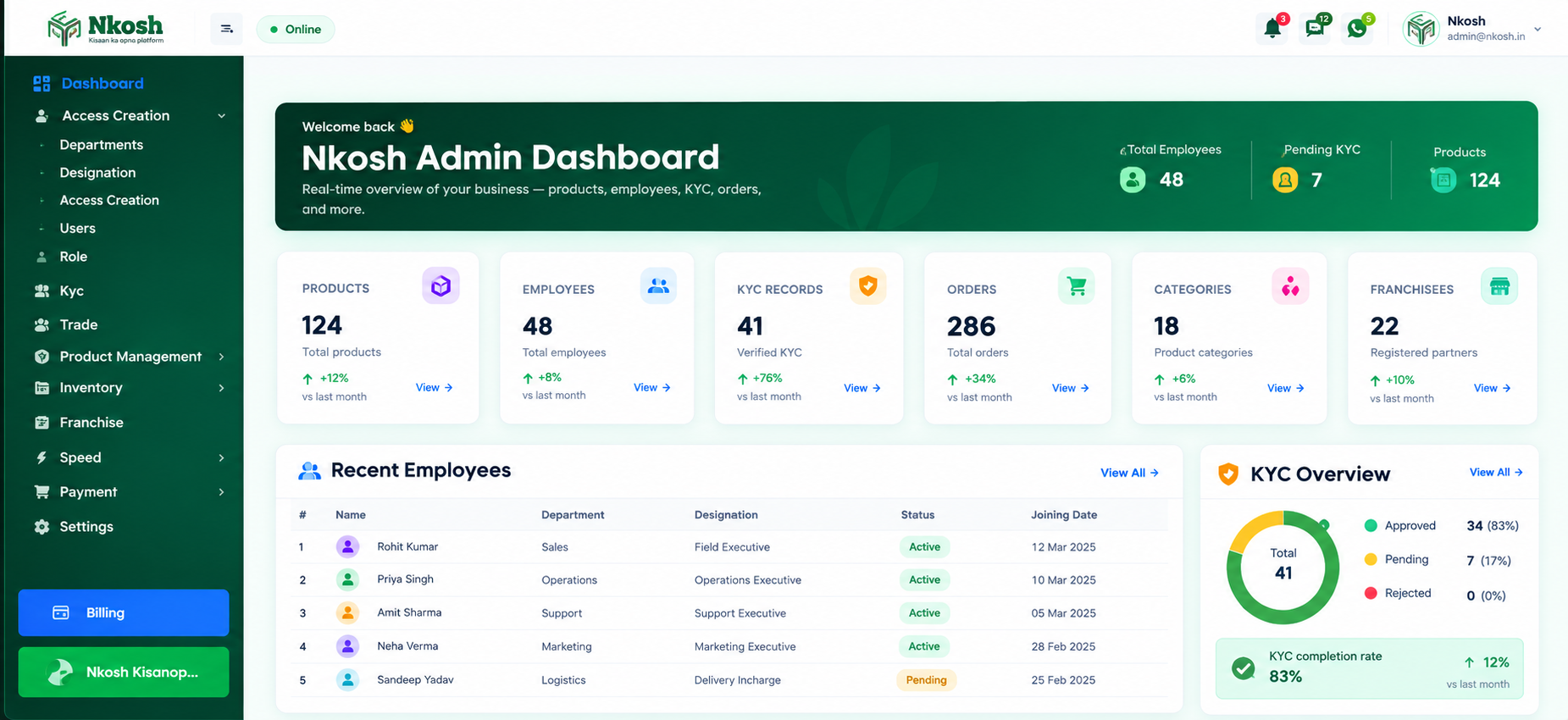
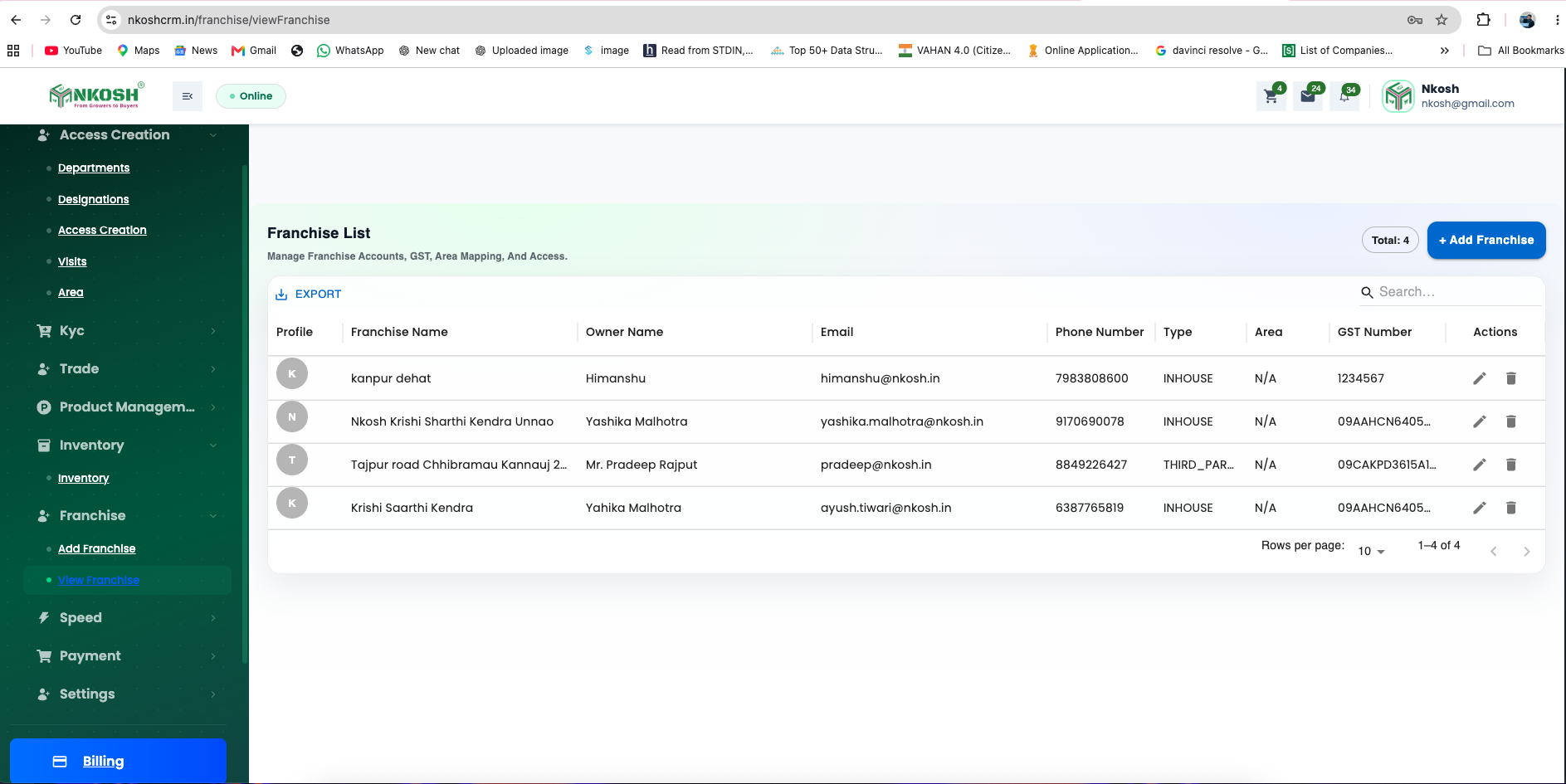
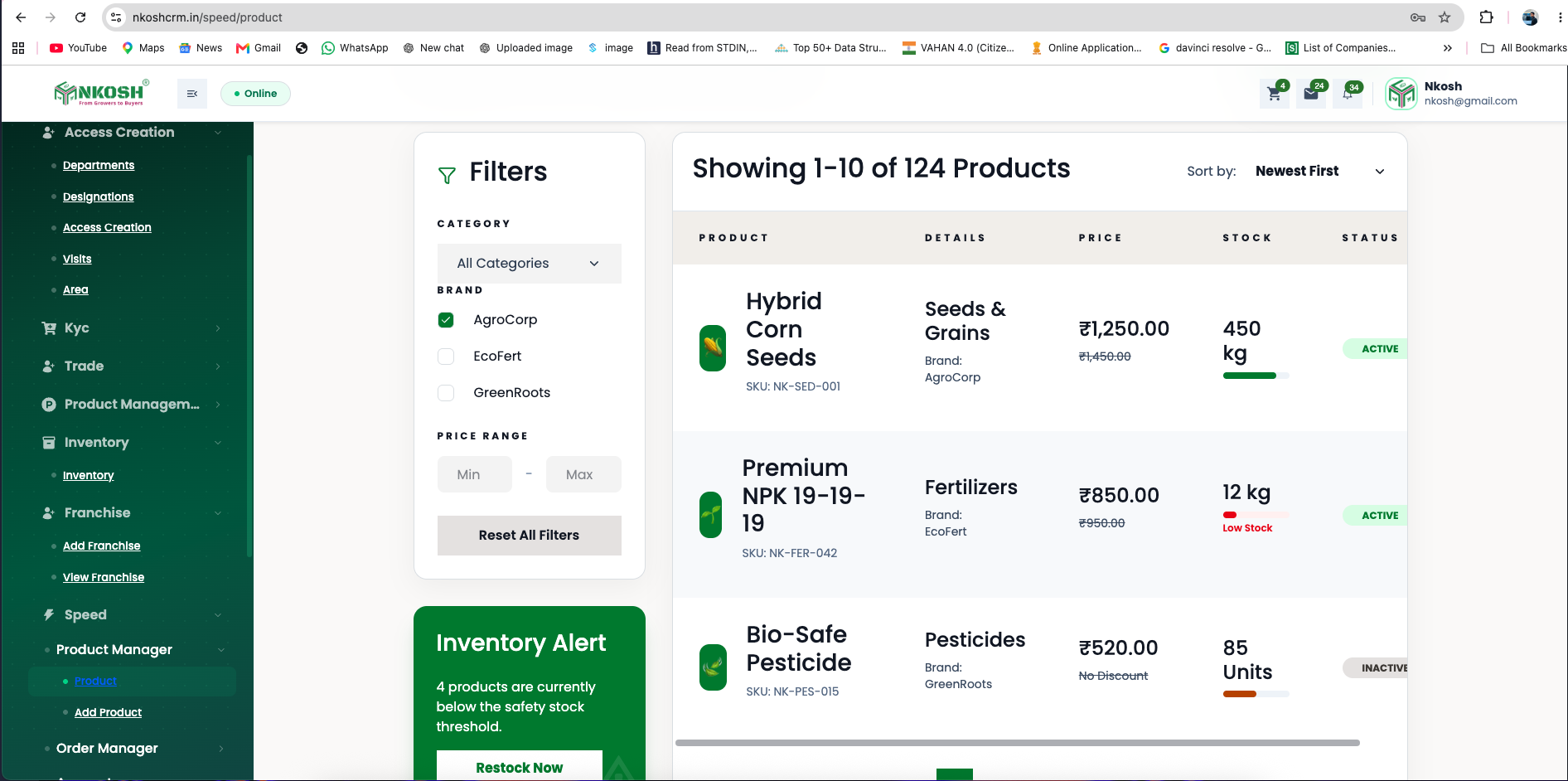
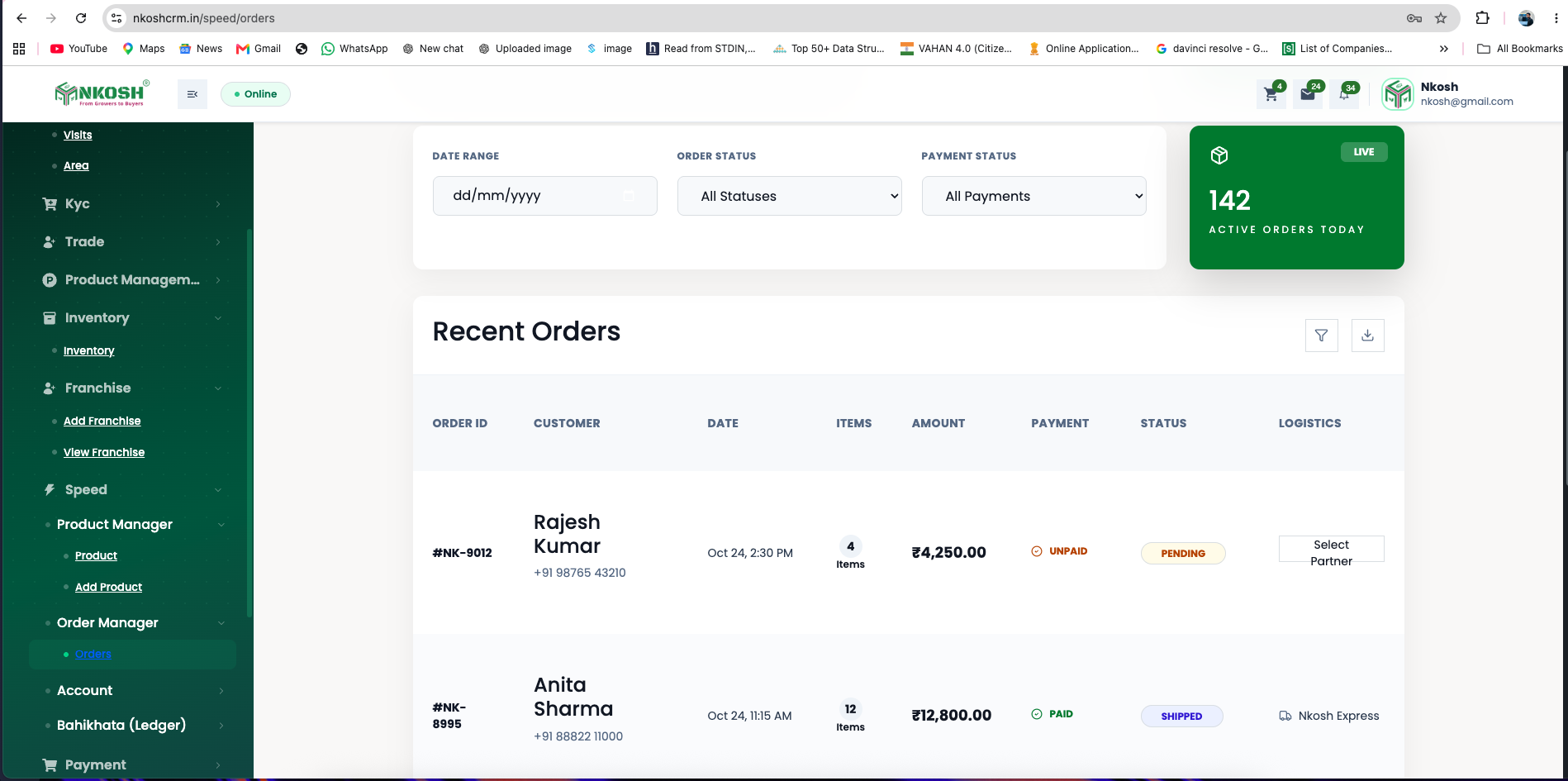
These examples show how the same CRM engineering principles adapt to different workflows: solar project and sales operations for Helium Solar, and agritech stakeholder and business operations for NKOSH.
 View
 View
 View
 View
 View
 View
 View
 View
✓
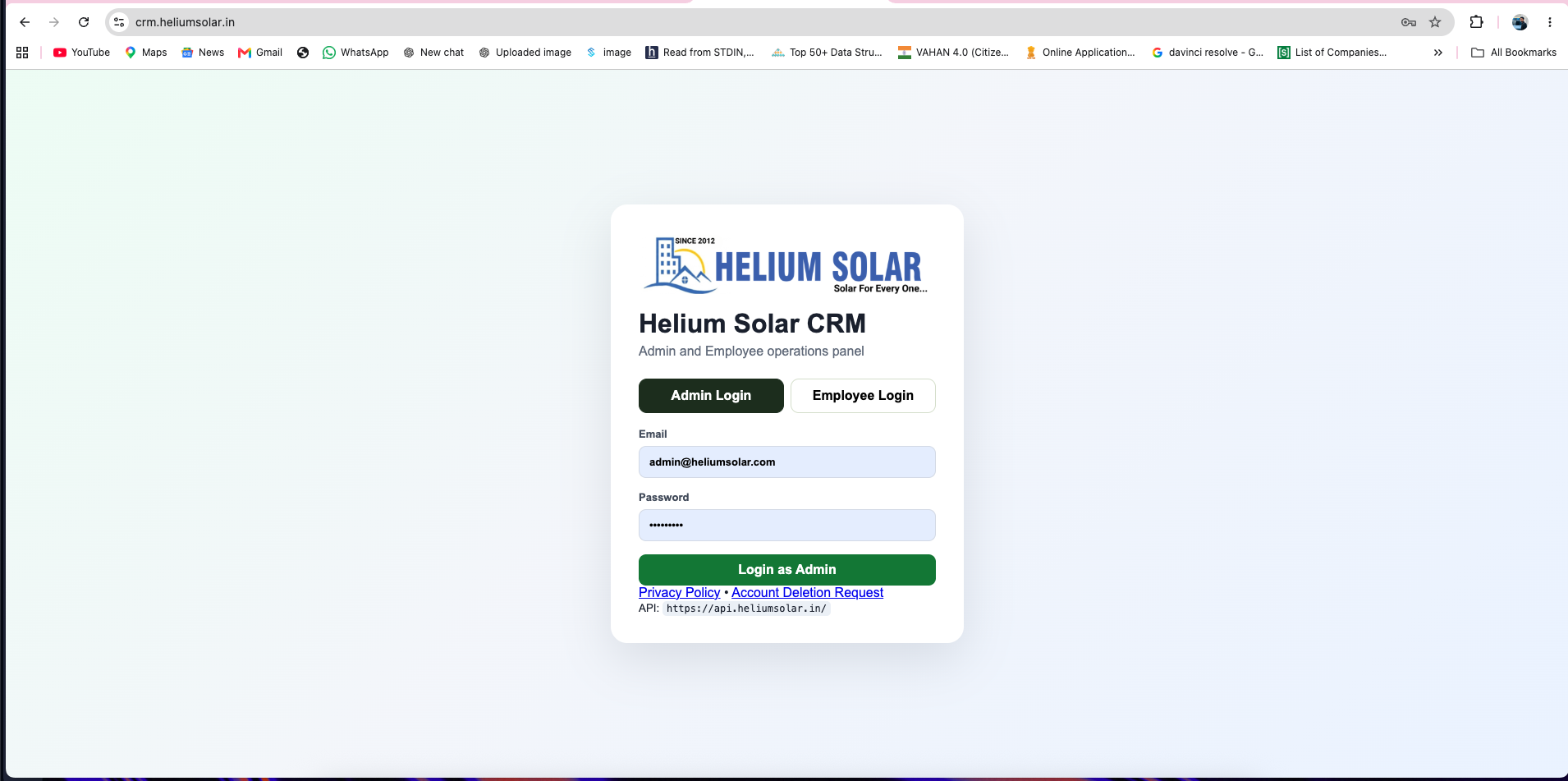
Built around the client’s operating model. These screenshots are presented as interface examples from actual CRM projects rather than stock dashboard artwork.
inputMulti-channel lead captureassignment_indOwnership and routingnotification_importantFollow-up automationQuotation workflowsManagement reporting
Custom CRM by ENIGMA
How ENIGMA structures a connected sales and customer operations system
Customer foundation: leads, contacts, organizations, opportunities, activities, products, quotations and documents.
Sales workflow: capture, qualification, assignment, follow-up, visit, proposal, approval, conversion and customer handoff.
Controls: role-based visibility, stage permissions, ownership rules, approvals, activity history and audit evidence.
Integrations: websites, WhatsApp, telephony, email, ERP, billing, payments, calendars, support systems and internal APIs where access is available.
Selected implementations: Helium Solar CRM for a solar EPC operating model and NKOSH CRM for an agritech operating model, with project screenshots shown on this page.
Generic CRM vs Business-Specific CRM
A contact database records activity. A custom CRM controls how sales work moves forward.
The real value appears when stages, ownership, follow-ups, approvals, documents and customer handoffs reflect the way your organization actually operates.
table_view
Disconnected Sales Tracking
Leads exist, but the operating discipline is still manual.
closeDifferent teams maintain separate sheets, notes and chat groups.
closeLead stages and qualification standards vary by person.
closeFollow-ups depend on memory and personal reminders.
closeManagement receives status after opportunities are already delayed.
ENIGMA Custom CRM
The complete revenue workflow becomes structured and measurable.
Lead stages, data requirements and ownership are standardized.
Tasks, reminders, escalations and inactivity rules drive follow-up.
Quotations, approvals and communication remain attached to the opportunity.
Leadership sees pipeline movement, bottlenecks and accountability in real time.
Sales Friction We Remove
Growth slows when leads, follow-ups and customer decisions are not connected.
A custom CRM turns invisible gaps into defined responsibilities, measurable stages and timely management action.
person_off
Unassigned or Missed Leads
Enquiries arrive from different channels without clear ownership or response accountability.
CRM outcome: Controlled routing
event_busy
Inconsistent Follow-ups
High-potential opportunities become inactive because the next action is not scheduled or escalated.
CRM outcome: Follow-up discipline
visibility_off
Pipeline Blindspots
Management cannot see where opportunities are stuck, why they are delayed or who must act.
CRM outcome: Live visibility
Quotation Friction
Pricing, discounts, approvals and proposal preparation remain separate from the sales opportunity.
CRM outcome: Faster controlled proposals
groups
Fragmented Customer History
Calls, messages, documents, commitments and service issues are spread across different people and tools.
CRM outcome: Unified customer context
summarize
Delayed Management Reports
Sales reviews depend on manually prepared reports rather than current pipeline evidence.
CRM outcome: Decision-ready dashboards
Custom CRM System Architecture
A connected path from lead source to customer lifecycle and management intelligence.
Every enquiry enters a controlled workflow where ownership, business rules, communication, approvals and data history remain connected.
Connected CRM Architecture
Six layers from lead capture to management intelligence
01SRC
Lead Sources
Web, WhatsApp & Campaigns
Capture enquiries from approved channels with source and requirement context.
Acquisition layer02ID
Customer Records
Lead, Contact & Account Data
Maintain organizations, contacts, products, requirements and relationship history.
Data layer03WF
Sales Workflow
Stages, Ownership & Follow-up
Control qualification, assignment, next action, inactivity and escalation.
Execution layer04QT
Commercial Control
Quotations & Approvals
Manage pricing, discounts, proposal versions, exceptions and authorization.
Control layer05CX
Customer Lifecycle
Handoff, Service & Renewal
Carry approved context into onboarding, delivery, support and account growth.
Relationship layer06AN
Management Intelligence
Dashboards & Integrations
Track pipeline, activity, ageing, conversion, exceptions and connected systems.
Decision layerCRM Capabilities by Business Function
One system for sales execution, customer context and management control.
Modules are selected and engineered according to the actual responsibilities, documents, approvals and customer journey in your organization.
Capture, qualify and assign demand
Capture, validate and route enquiries without losing source context.
The CRM creates a controlled entry point for leads from multiple channels and assigns responsibility according to defined business rules.
✓
Capture source, campaign, product, territory and customer details.
✓
Detect duplicates and maintain one customer or organization history.
✓
Assign by team, location, product, capacity or account ownership.
Operational Outcome
No enquiry remains invisible or ownerless.
Source Attribution
Know where each lead originated and which context arrived with it.
Response Accountability
Track first action, ownership changes and response delays.
Ownership and next-action discipline
Make every opportunity stage, next action and delay measurable.
Sales stages are connected to required actions, data, tasks and escalation logic instead of being simple labels.
✓
Configure stage entry and exit requirements.
✓
Create reminders, overdue alerts and inactivity escalation.
✓
Maintain calls, meetings, notes, tasks and communication history.
Operational Outcome
The pipeline reflects work completed—not only salesperson opinion.
Ageing and Stagnation
Surface opportunities that remain too long without meaningful movement.
Next-Action Discipline
Every active opportunity carries a defined next responsibility.
Commercial proposal control
Connect products, pricing, discounts, approvals and proposals.
Quotation workflows can be engineered around product catalogues, BOQ logic, service packages, taxes, discount authority and branded documents.
✓
Generate quotations from approved products, services and pricing rules.
✓
Route discounts and deviations through authorization levels.
✓
Maintain proposal versions, sharing history and customer responses.
Operational Outcome
Commercial decisions stay controlled and attached to the opportunity.
Approval History
Record who approved pricing, discounts or exceptions and when.
Proposal Consistency
Use controlled templates and current commercial information.
Visits, evidence and territory activity
Connect visits, meetings and field evidence with the central pipeline.
Mobile and responsive workflows help field teams plan activity, capture outcomes and update the opportunity without separate reporting.
✓
Plan visits and view assigned leads by territory or schedule.
✓
Capture check-ins, notes, photos, documents and customer responses.
✓
Create next actions and update stages from the field.
Operational Outcome
Field activity becomes part of the customer record, not a separate report.
Activity Evidence
Management can verify planned and completed field work.
Faster Coordination
Office and field teams work from the same opportunity status.
Post-sale context and issue handling
Continue the relationship after conversion with shared customer context.
The CRM can hand won opportunities to onboarding, projects, service or account-management teams without losing commitments and history.
✓
Create customer, project or onboarding records from approved deals.
✓
Maintain documents, promises, communication and issue history.
✓
Track renewals, cross-sell opportunities and account activity.
Operational Outcome
Sales promises and customer delivery remain connected.
Structured Handoff
Downstream teams receive the agreed scope and customer context.
Relationship Visibility
One customer history supports sales, service and management.
Pipeline and performance visibility
Give leadership current evidence instead of manually prepared status.
Dashboards and reports can be designed around business priorities, team structure, products, territories, stages and exceptions.
✓
Monitor pipeline by stage, source, team, product and territory.
✓
Review response time, activity, ageing, losses and approval delays.
✓
Generate scheduled reports and exception alerts for managers.
Operational Outcome
Sales reviews focus on decisions and exceptions—not data collection.
Management Dashboards
Role-specific views for sales heads, managers and leadership.
Actionable Exceptions
Highlight delayed follow-ups, stalled deals and incomplete responsibilities.
Customer Lifecycle
The CRM should connect the first enquiry with the complete customer relationship.
A won deal is not the end of the workflow. The system should preserve what was discussed, approved, promised and delivered across departments.
01 · Acquire
Capture and qualify the enquiry
Record source, requirement, customer context and ownership.
02 · Develop
Manage conversations and opportunity progress
Coordinate calls, meetings, visits, tasks and decisions.
03 · Convert
Control proposal, approval and agreement
Maintain commercial versions, authorization and outcome.
04 · Deliver
Handoff to onboarding, projects or service
Transfer customer context without duplicate data entry.
05 · Retain
Support, renew and expand the relationship
Track service, renewals, cross-sell and account health.
Unified Customer Record
One history across departments
Sales Context
Requirement · Decision-makers · Objections
Commercial History
Quotes · Approvals · Agreements
Delivery Context
Scope · Commitments · Handoffs
Relationship History
Support · Renewals · Opportunities
Business outcome
Teams work from the same customer evidence instead of reconstructing history from messages, calls and individual memory.
Integrations & Automation
Your CRM should connect the channels and systems already involved in revenue operations.
Integrations are selected according to available APIs, data ownership, security and the workflow your teams need to automate.
chat
WhatsApp, Email & SMS
Capture enquiries, send approved communication and retain activity context.
call
Telephony & Voice AI
Connect calls, outcomes, recordings or intelligent calling workflows where supported.
inventory_2
ERP, Inventory & Billing
Connect customer, product, stock, order, invoice and payment information.
campaign
Marketing Sources
Capture campaign attribution from forms, landing pages and advertising platforms.
calendar_month
Calendar & Meetings
Schedule calls, demos, visits and reminders from the opportunity workflow.
payments
Payment Workflows
Create payment requests, record status and coordinate finance follow-up.
Support & Ticketing
Move customer context into service workflows and maintain relationship history.
Internal & Third-Party APIs
Connect business-specific tools, legacy systems and controlled data sources.
Roles, Permissions & Data Governance
Customer data requires clear access, ownership and accountability.
The CRM architecture can enforce who sees which leads, who may change stages, who approves commercial decisions and how sensitive actions are recorded.
Role-based visibility
Restrict data by team, territory, branch, product, customer type or management level.
Controlled stage and ownership changes
Define which users can reassign opportunities, close deals or modify protected information.
Approval checkpoints
Route discounts, exceptions, quotations and commercial commitments to authorized users.
Audit and activity history
Retain ownership changes, approvals, stage history and important customer interactions.
CRM Governance Layer
ID
Identity and Role
Who is requesting access or action?
POL
Permission and Business Rule
Is the user authorized for this record and action?
OK
Approval or Execution
Complete, block or route the action for authorization.
LOG
Recorded History
Preserve the decision and activity trail.
Illustrative Sales Workflow
From incoming enquiry to approved proposal and customer handoff.
This scenario demonstrates a possible operating pattern. It is not presented as a fabricated client result.
Lead Captured
A commercial enquiry enters from WhatsApp with source and requirement details.
Qualified & Assigned
Rules validate the opportunity and assign the correct sales owner.
Visit & Requirement
The field team records the visit, notes, documents and next action.
Proposal & Approval
Pricing and commercial exceptions move through an approval workflow.
Customer Handoff
The approved deal creates onboarding tasks with the full customer context.
What Your CRM Engagement Includes
A complete operating system—not a collection of disconnected screens.
The exact scope depends on the approved requirements, but a structured CRM engagement typically addresses workflow, data, permissions, integrations, deployment and adoption.
01
Sales Workflow Blueprint
Lead stages, responsibilities, next actions, approvals and customer handoffs.
02
CRM Data Architecture
Customer, organization, opportunity, activity, product and document structures.
03
Role-Based Applications
Sales, field, manager, admin and leadership interfaces according to scope.
04
Automation & Rules
Assignment, reminders, escalation, approvals and task-generation logic.
05
Integration Layer
Approved communication, ERP, billing, marketing and business-system connections.
06
Dashboards & Reports
Management views, exception reports and performance indicators.
07
Data Migration Plan
Assessment, cleaning, mapping and controlled import of approved legacy data.
08
Deployment & Support
Testing, rollout, training support, monitoring and continuous improvement.
Built for Operational Complexity
Custom CRM is valuable when the sales process has real business rules behind it.
It is best suited for organizations where teams, territories, products, approvals, field activity or customer handoffs cannot be managed reliably through a generic contact tracker.
Multiple sales teams or locations
Different ownership, territories and management views.
High enquiry and follow-up volume
Manual reminders no longer provide reliable control.
Quotation or approval complexity
Pricing and exceptions require structured authorization.
Field and office coordination
Visits and customer outcomes must update the central pipeline.
Customer lifecycle handoffs
Sales, onboarding and service need shared customer context.
Business-system integrations
CRM must connect with communication, ERP, billing or operations.
CRM Engineering Process
We understand the revenue workflow before designing the software.
Workflow Discovery
Map lead sources, sales stages, teams, follow-ups, approvals and customer handoffs.
Data & Role Design
Define records, ownership, permissions, mandatory data and reporting dimensions.
System Architecture
Plan applications, APIs, integrations, infrastructure and security boundaries.
Iterative Development
Build and validate priority modules with users and process owners.
Testing & Migration
Test workflows, permissions, reports and approved legacy-data migration.
Rollout & Improvement
Support adoption, monitor exceptions and improve the system as operations evolve.
Custom CRM FAQ
Questions business leaders ask before building a CRM.
The final architecture and scope depend on workflow complexity, integrations, data, users and deployment requirements.
A custom CRM is a sales and customer operations system designed around an organization’s actual lead stages, responsibilities, follow-up rules, approvals, documents, reporting and integrations instead of forcing teams into a generic workflow.
An off-the-shelf CRM provides predefined features and workflows. A custom CRM can be engineered around your sales process, terminology, permissions, field operations, quotation logic, integrations and management reporting requirements.
Yes. Leads can be captured from websites, landing pages, WhatsApp, calls, advertising platforms, referrals, APIs, imports and internal teams, subject to the available integration methods.
Yes. Assignment rules, reminders, escalation paths, follow-up sequences, inactivity alerts and task creation can be configured around territories, products, teams, lead sources and business priorities.
Yes. A custom CRM can connect pricing rules, products, BOQ or service selections, discounts, approval levels and branded quotation generation within the sales workflow.
Yes. Mobile or responsive field-sales workflows can support visit planning, check-ins, notes, photos, customer updates, location evidence, tasks and follow-up activity based on the approved requirements.
Yes. The CRM can be integrated with ERP, inventory, billing, payment gateways, telephony, WhatsApp, email, SMS, calendars, support systems and internal APIs where suitable access is available.
ENIGMA begins with workflow discovery, maps the sales and customer lifecycle, defines roles and data ownership, designs the architecture, develops the system, migrates approved data, tests workflows and supports rollout and improvement.
Custom CRM Workflow Discovery
Let’s map how leads, sales teams and customers move through your business.
We’ll assess your lead sources, pipeline stages, follow-up responsibilities, quotation process, approvals, field activity, integrations and reporting before recommending the right CRM architecture.